
Introduction
Artificial Intelligence (AI) iAI Tools for Beginners no longer something only big companies use. Today, even beginners can use AI tools to create content, analyze data, and run smarter marketing campaigns.
But here’s the catch:
Most people either overcomplicate AI or expect it to do everything automatically. The truth lies somewhere in between.
This guide will walk you through how to actually use AI in digital marketing step by step, without confusion.
Step 1: Understand What AI Can (and Can’t) Do AI Tools for Beginners
Before jumping into tools, you need clarity.
What AI can do:
- Generate content (blogs, ads, captions)
- Analyze customer behavior
- Suggest marketing strategies
- Automate repetitive tasks
What AI can’t do well (yet):
- Replace human creativity completely
- Understand your brand deeply without input
- Make strategic decisions alone
👉 Mistake beginners make: blindly copying AI output
👉 Better approach: use AI as a support tool, not a replacement
Step 2: Choose the Right AI Tools for Beginners
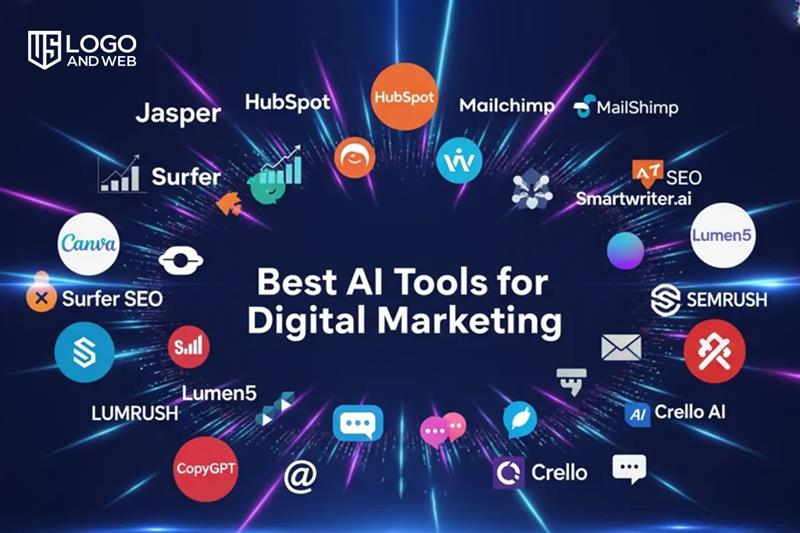
You don’t need 20 tools. Start with 3–5 essentials.
Content Creation
- ChatGPT (blogs, captions, scripts)
- Jasper AI (marketing copy)
Design & Creatives
- Canva AI (social media posts, ads)
- Adobe Firefly (AI-generated visuals)
SEO & Analytics
- Surfer SEO
- Google Analytics (with AI insights)
👉 Don’t fall into the “tool overload” trap. Master a few first.
Step 3: Use AI for Content Creation
Content is the backbone of digital marketing.
How to do it:
- Give clear prompts
Example:
“Write an Instagram caption for a digital marketing course targeting beginners” - Edit the output
- Add your tone
- Make it more human
- Remove robotic lines
- Repurpose content
- Blog → Instagram post
- Blog → YouTube script
- Blog → Email
👉 Key insight:
AI saves time, but editing creates quality
Step 4: Use AI for Social Media Marketing
AI can help you stay consistent (which is where most beginners fail).
Use AI to:
- Generate post ideas
- Write captions
- Suggest hashtags
- Schedule posts
Simple workflowAI Tools for Beginners:
- Ask AI for 30 content ideas
- Turn them into posts
- Schedule using tools like Buffer or Hootsuite
👉 Alternative perspective:
Some marketers avoid AI content fearing it feels “fake.”
But in reality, bad editing is the problem—not AI itself.
Step 5: Use AI for SEO (Search Engine Optimization)
AI makes SEO much easier for beginners.
How:
- Keyword research suggestions
- Blog structure generation
- Content optimization tips
Example workflow – FOR AI Tools for Beginners:
- Ask AI: “Give me keywords for digital marketing beginners”
- Pick one keyword
- Ask AI to create blog outline
- Write + optimize using SEO tools
👉 Important:
AI helps you rank faster, but original insights help you rank longer
Step 6: Automate Marketing Tasks
AI is powerful when it saves time.
Automate:
- Email responses
- Chatbots for websites
- Lead follow-ups
- Ad optimization
Example – AI Tools for Beginners:
- Use chatbot to answer FAQs instantly
- Use AI email tools for campaigns
👉 Critical thinking point:
Automation is helpful, but too much automation can feel impersonal.
Balance matters.
Step 7: Analyze and Improve with AI Tools for Beginners
AI can help you understand what’s working.
Track:
- Engagement (likes, shares, comments)
- Website traffic
- Conversion rates
Use – AI Tools for Beginners:
- Identify patterns
- Suggest improvements
- Predict trends
👉 Smart marketers don’t just create content—they learn from data
Step 8: Keep Learning and Experimenting
AI changes fast. What works today may not work tomorrow.
To stay ahead:
- Try new tools
- Test different content styles
- Follow industry trends
👉 Reality check:
There’s no “perfect AI strategy.”
The best strategy is continuous testing.
Conclusion – AI Tools for Beginners
Using AI in digital marketing isn’t about replacing your skills—it’s about amplifying them.
If you follow this step-by-step approach:
- Understand AI
- Choose the right tools
- Create content
- Automate tasks
- Analyze results
You can build a strong digital marketing foundation—even as a beginner.